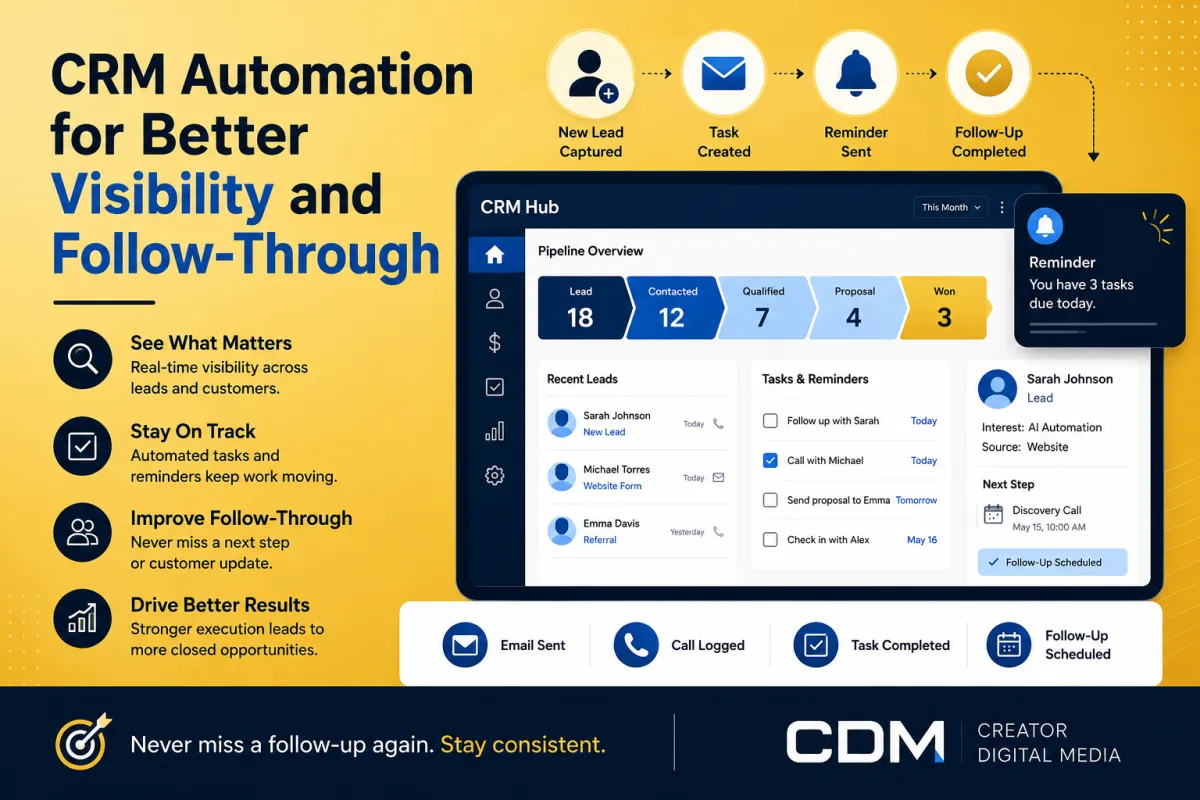
How CRM Automation Improves Visibility and Follow-Through
Many small businesses do not lose opportunities because they lack effort. They lose opportunities because the follow-through is hard to see and harder to manage consistently.
A lead comes in. A call happens. A proposal needs to be sent. A customer asks for a follow-up. A task gets mentioned during a meeting. Then the day gets busy and the next step depends on someone remembering what happened.
This is where CRM automation can help. A CRM should not just store contact records. It should help the business see what needs attention, move work forward, and reduce the number of important actions that depend only on memory.
For small businesses, CRM automation is not about making the system complicated. It is about improving visibility and follow-through.
What CRM automation means
CRM automation uses rules, workflows, triggers, reminders, and sometimes AI-supported summaries to help move customer and lead activity through the business.
That may include creating a task after a form submission, assigning a lead to the right person, sending a follow-up reminder, updating an opportunity stage, notifying the owner, or summarizing a customer interaction.
The goal is simple: the business should know what happened, what needs to happen next, and who owns it.
Why visibility matters
A small business can have strong people and still struggle with follow-through if the work is not visible. If leads, tasks, and customer updates live across texts, emails, notes, inboxes, spreadsheets, and memory, the owner eventually loses clarity.
Poor visibility creates operational problems:
· Leads sit too long before follow-up
· Calls happen without next steps being logged
· Proposals are discussed but not tracked
· Customers ask for updates that are not assigned
· Team members do not know what already happened
· Owners spend too much time checking status manually
CRM automation helps by turning scattered activity into a visible operating system.
Where CRM automation can help first
The best CRM automations usually support repeated steps that happen across leads, customers, and internal operations. These are not always advanced workflows. Often, they are simple reminders, task assignments, and status updates that create consistency.
Good starting points include:
· New lead notifications
· Lead source tracking
· Missed-call follow-up tasks
· Consultation booking reminders
· Proposal follow-up reminders
· Opportunity stage updates
· Customer onboarding tasks
· Internal handoff notifications
· Weekly pipeline summaries
Each of these improves visibility because it gives the business a cleaner view of what is active and what still needs action.
Lead tracking and pipeline visibility
One of the most useful CRM automation areas is lead tracking. When a lead enters the business, the CRM should capture where the lead came from, what they asked for, what next step is needed, and whether follow-up has happened.
Without this, owners may only see fragments of the sales process. They might know that leads are coming in, but not whether those leads are being contacted, qualified, booked, or lost.
A simple pipeline can show where every opportunity sits: new inquiry, contacted, consultation booked, proposal sent, follow-up needed, won, or lost. Automation can help move records, create tasks, and remind the owner when something stalls.
Task reminders and ownership
Follow-through improves when every next step has an owner. A CRM workflow can create tasks automatically when a trigger happens.
For example:
· A form is submitted and a lead follow-up task is created
· A consultation is booked and a prep task is assigned
· A proposal is sent and a follow-up reminder is scheduled
· A customer starts onboarding and access tasks are created
· A missed call is logged and a callback task is assigned
The point is not to create more tasks for the sake of task creation. The point is to reduce ambiguity. Everyone should know what needs to happen next.
Better customer handoffs
Customer experience often breaks down at handoff points. A prospect moves from inquiry to consultation. A customer moves from sale to onboarding. A support request moves from intake to resolution.
If those handoffs are informal, details get lost. CRM automation can create a structured handoff by capturing the right information, notifying the right person, and triggering the next step.
This gives the business a more reliable way to serve customers without forcing the owner to manually coordinate every detail.
AI-supported CRM summaries
AI can also support CRM visibility by summarizing calls, notes, messages, and customer activity. For a small business, this can help the owner quickly understand what happened without reading every detail manually.
A useful summary might show the customer need, open questions, promised next steps, follow-up timing, and any risks or blockers.
This is especially helpful when the business has multiple conversations happening across calls, forms, email, and chat. The CRM becomes more valuable when it turns activity into usable context.
What not to automate too early
CRM automation should not be used to hide a messy process. If the sales pipeline is unclear, the first step is to define the pipeline. If customer handoffs are inconsistent, the first step is to map the handoff.
Small businesses should avoid overbuilding CRM workflows too early. Too many stages, tags, tasks, and notifications can make the system harder to use.
A focused CRM automation setup should make the business easier to manage, not harder.
A simple starting framework
A small business can start with a simple CRM automation framework:
· Map the lead or customer journey
· Define the key stages
· Identify the moments where follow-through fails
· Create task reminders for important next steps
· Assign ownership for each stage
· Add simple notifications for stalled items
· Review the pipeline weekly
· Improve the workflow based on what is actually happening
This creates enough structure to improve visibility without turning the CRM into a complicated system no one wants to maintain.
What to measure
CRM automation should improve operational clarity. Useful measurements include:
· Leads contacted faster
· Fewer missed follow-ups
· More tasks completed on time
· Better pipeline visibility
· Fewer lost handoffs
· Faster proposal follow-up
· Cleaner customer onboarding
· Less owner time spent asking for status updates
These metrics help the business decide whether the CRM is actually improving execution.
Final thought
CRM automation is not just about saving time. It is about making the business easier to see and easier to manage.
When leads, tasks, customer updates, and follow-ups are visible, the business can operate with less guesswork. Owners can spend less time chasing status and more time making decisions, serving customers, and improving the process.
Creator Digital Media helps small businesses map CRM workflows, improve visibility, and build automation that supports real follow-through. If your business has leads, tasks, or customer handoffs falling through the cracks, the next step is to clarify the workflow before adding more tools.
Ready to identify where AI or automation could improve your business operations?



