How Many CRM Pipeline Stages Does a Small Business Actually Need?
A CRM pipeline should help employees see where each active sales opportunity stands and what needs to happen next. Clear stage definitions make the pipeline easier to update and interpret consistently.
Most small businesses do not need a complex pipeline. They need enough stages to represent meaningful changes in the buyer’s progress, support clear ownership, and trigger the right follow-up. For many service businesses, five to seven well-defined stages are enough for the main sales process.
The right number depends on how customers buy, how the team sells, and which decisions the business needs to measure. The goal is not to reach a specific count. It is to create a pipeline that employees can use consistently and management can trust.
A Pipeline Stage Must Represent Real Progress
Each stage should describe a meaningful change in the sales opportunity. Moving a record should tell the team that something happened, a requirement was met, or the next action changed.
Examples include confirming that an inquiry is qualified, scheduling a consultation, sending a proposal, receiving a decision, or winning the customer. These events affect ownership, follow-up, forecasting, or reporting.
Include a stage when it represents a distinct point in the sales process. Labels such as Working, Active, In Process, Follow-Up, and Pending can overlap unless each has a clear definition. When those differences are unclear, the pipeline becomes harder to update and its reports less reliable.
Start With the Customer’s Buying Path
Map the main path a prospect follows before building the CRM. Begin with the first valid inquiry and end with a confirmed customer or a closed opportunity.
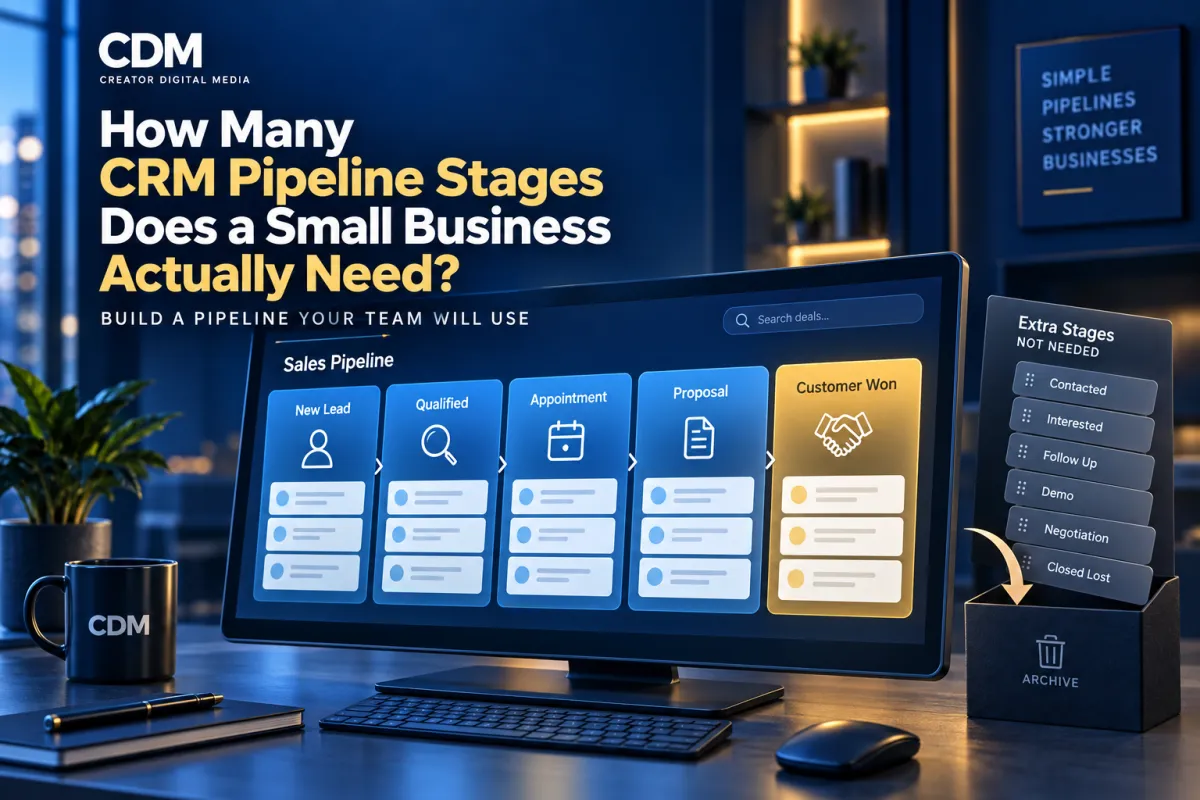
For a consultation-based service business, a lean pipeline might include:
1.New Lead: A valid inquiry has entered the CRM and needs an initial response.
2.Qualified: The person fits the service, location, budget, timing, or other approved criteria.
3.Appointment Scheduled: A consultation, assessment, or sales call is booked.
4.Proposal or Decision: The offer has been presented and the business is waiting for a decision or completing an agreed follow-up.
5.Customer Won: The person completed the event that defines a customer, such as signing an agreement or making payment.
Customer Lost should also be recorded, but it usually works better as a closed status with a required loss reason rather than another active stage.
Some businesses need separate stages for assessment completed, estimate delivered, application submitted, contract sent, deposit received, or another event that materially changes the opportunity. Add a stage only when the distinction supports a different action or decision.
Separate Pipeline Stages From Tasks
It is easy to turn every employee action into a pipeline stage. Call Attempted, Email Sent, Voicemail Left, Follow Up Tomorrow, and Second Reminder describe tasks or activities. They do not necessarily indicate that the prospect has moved forward.
Keep the opportunity in its current stage and use tasks, workflow steps, notes, and communication records to manage the work. Move the opportunity only when its sales status changes.
This distinction keeps the pipeline readable. Management can see genuine progress while employees still have clear assignments and reminders.
Do Not Use Stages to Replace Lead Details
Pipeline stages should not carry information that belongs in CRM fields. Service type, lead source, location, estimated value, priority, financing need, and customer segment are attributes of the record. They are not steps in the sales process.
Creating separate stages for every service or source quickly produces a crowded pipeline. Use structured fields, tags, filters, or separate pipelines when the underlying sales processes are truly different.
For example, residential and commercial opportunities may share one pipeline if the buying steps are the same. If one requires bidding, site review, multiple approvals, and a longer contract process, a separate pipeline may be easier to manage.
Know the Signs That You Have Too Many Stages
The pipeline is probably too complicated when:
• Employees skip stages or move records several steps at once.
• Several labels mean nearly the same thing.
• Opportunities remain in one stage while most activity happens elsewhere.
• Managers need frequent explanations to interpret the board.
• Automations fire at the wrong time because employees choose different stages.
• Reporting shows movement but does not reveal meaningful conversion points.
• New employees need a long guide to understand ordinary record updates.
Too many stages add administrative work and can suggest a level of detail the sales process does not support. More labels do not necessarily improve visibility or control.
Know the Signs That You Have Too Few Stages
A pipeline can also be too simple. One broad stage such as Open or In Progress may hide whether the business has responded, qualified the lead, booked a meeting, sent an offer, or received a decision.
You may need another stage when the team cannot answer an important operational question, a distinct owner becomes responsible, a new response target begins, or an automation should start only after a verified event.
Add a stage when it solves a specific visibility or workflow problem. If it does not change what the team needs to know or do, keep the existing structure.
Give Every Stage an Entry Rule and Exit Rule
Write a plain-language definition for each stage. The entry rule explains what must be true before an opportunity enters. The exit rule identifies the event required to move it forward, close it, or return it to an earlier point.
For example, Qualified might mean that the prospect meets the service-area requirement, has a defined need, fits the minimum engagement, and agreed to the next conversation. A completed contact form alone would not meet that definition.
Also define the expected owner, response time, required fields, next action, and maximum time an opportunity should remain in the stage. These rules make automation and reporting more dependable.
Use Closed Outcomes and Reasons Consistently
Every opportunity eventually needs a clear outcome. Customer Won should require the business’s verified conversion event and, where possible, the sale value. Customer Lost should require a limited, useful reason.
Loss reasons might include not qualified, no response, timing, price, competitor, duplicate record, or service unavailable. Avoid an oversized list that employees will not use accurately.
Review opportunities that have remained open without recent activity. Use a follow-up or nurture process for prospects who may buy later, and close records that are no longer active. This keeps pipeline reports aligned with current sales opportunities.
Connect Automation to Meaningful Stage Changes
Once definitions are stable, connect workflows to the events represented by each stage. A new lead can trigger an assignment and response task. Qualification can open the booking sequence. A scheduled appointment can activate reminders. A proposal stage can create a follow-up schedule. Customer Won can launch onboarding.
Automation works best when stage definitions are clear and consistently applied. If the team uses stages differently, automated messages, tasks, forecasts, and dashboards may produce unreliable results.
Include safeguards. Prevent duplicate opportunities, require important fields, alert an owner when a record becomes stale, and confirm that a closed event occurred before launching customer communications.
Review the Pipeline Using Real Records
Test the proposed stages with recent opportunities. Walk through an easy sale, a long decision, an unqualified inquiry, a no-show, a proposal that stalled, a returning customer, and a lost opportunity.
For each record, ask where it belongs, who owns it, what the next action is, and what event will move it. If the answer is unclear, revise the definition before adding another label.
After launch, review conversion rates and time spent in each stage. Look for skipped steps, stale records, repeated manual corrections, and employees using notes to compensate for missing structure.
Build the Smallest Pipeline That Supports the Work
Begin with the fewest stages that can accurately represent the main sales path. Add complexity only when the business can name the decision, responsibility, reporting need, or workflow that requires it.
A five-stage pipeline may be enough today and still change as services, team roles, or buying processes evolve. Review it periodically, using recurring patterns in actual opportunities to guide any changes.
Creator Digital Media helps businesses define CRM pipelines, record ownership, stage rules, automated follow-up, and reporting so the system reflects how customers actually move from inquiry to sale.
Frequently Asked Questions
How many CRM pipeline stages should a small business have?
Many service businesses can manage their primary sales process with five to seven well-defined stages. The correct number is the smallest set that shows meaningful buyer progress and supports ownership, follow-up, automation, and reporting.
What is the difference between a pipeline stage and a task?
A stage describes the current sales status of an opportunity. A task describes work an employee must complete, such as making a call, sending an email, or preparing a proposal.
Should won and lost opportunities be pipeline stages?
They should be recorded as closed outcomes. Customer Won should use a verified conversion event, while Customer Lost should include a consistent loss reason. They do not need to remain among active sales stages.
When should a business create a separate CRM pipeline?
Create another pipeline when a service, customer type, or sales motion follows materially different steps, owners, approvals, or reporting requirements. Do not create separate pipelines only to categorize lead sources or minor service variations.



