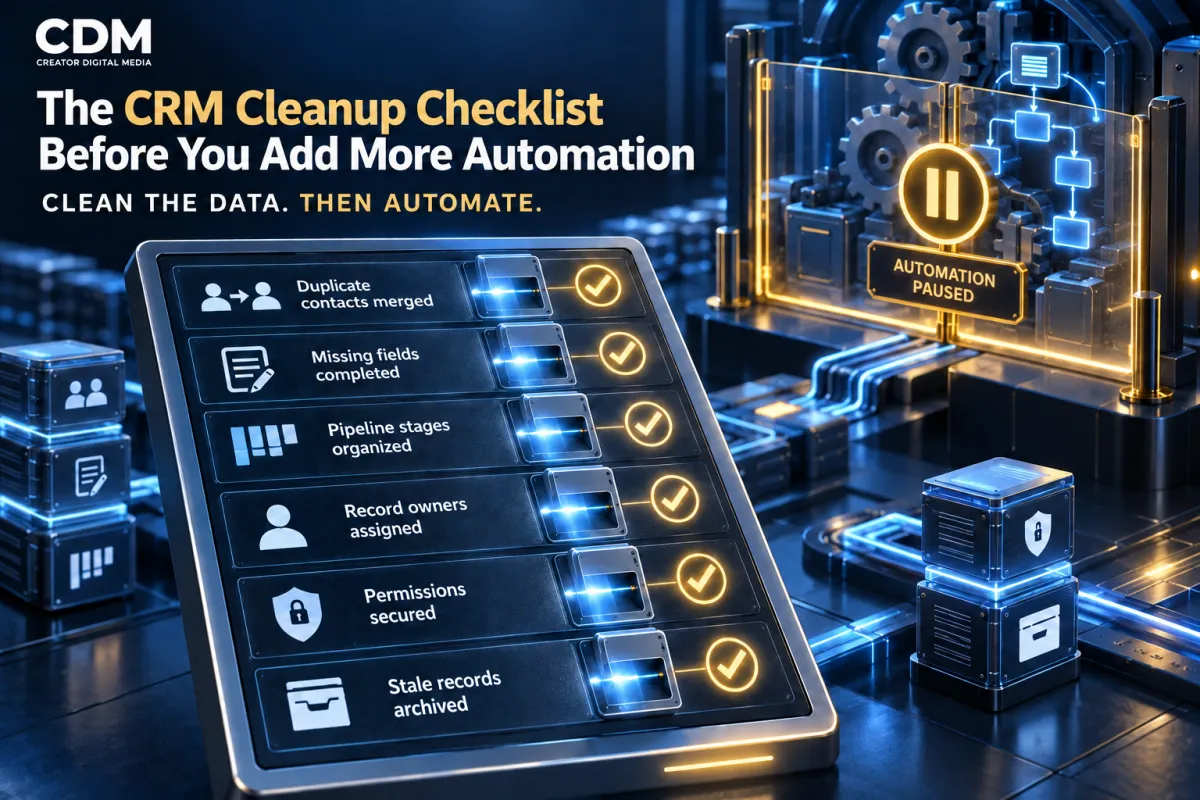
The CRM Cleanup Checklist Before You Add More Automation
Automation relies on the records and rules already in a CRM. If the system contains duplicate contacts, missing fields, or unclear pipeline stages, new workflows can repeat messages, route contacts incorrectly, or trigger follow-up at the wrong time.
Before adding another sequence, AI agent, integration, or notification, confirm that the CRM can support it. The system needs accurate customer records, defined fields, usable stages, clear ownership, controlled permissions, and tested connections.
The objective is not to make every record perfect. It is to correct the issues that could create customer confusion, unreliable reporting, missed work, or inappropriate automated action.
Pause New Automation While You Audit the System
Choose a short review period and avoid launching major workflows while the underlying CRM is changing. Document which automations are active, what triggers them, what they update, and which customer messages they send.
Identify the processes that carry the highest risk. Payment reminders, appointment messages, lead follow-up, customer onboarding, review requests, and reactivation campaigns can affect many contacts quickly. Review those paths first.
Create a backup or export appropriate to the platform before making broad data changes. Limit bulk edits and deletions to authorized people, and test each rule on a small set of records before applying it widely.
1. Merge Duplicate Contacts Carefully
Duplicate records divide the customer history and can cause several employees or workflows to contact the same person. Search for repeated email addresses, phone numbers, names, company names, and imported identifiers.
Choose which record will remain. Preserve the most complete contact details, conversation history, consent status, appointments, opportunities, invoices, notes, and source data. Do not assume the newest record is the best one.
Review why duplicates were created. Common causes include separate forms, inconsistent phone formatting, imports, disconnected integrations, manual entry, or matching rules that rely on only one field. Fix the entry path so the problem does not return.
2. Complete and Standardize Important Fields
List the fields required for routing, qualification, personalization, reporting, and compliance. Typical examples include contact details, service interest, location, lead source, lifecycle status, assigned owner, consent, and next action.
Standardize values before automation relies on them. California, CA, and Calif. may describe the same location, but workflows and reports can treat them as different values. Use dropdowns, date fields, numeric formats, and controlled options when consistency matters.
Remove or retire fields that duplicate another field, have no defined purpose, or contain outdated information. Before removing anything, confirm that no form, workflow, report, integration, or template still depends on it.
3. Review Pipeline Stages and Closed Outcomes
Every active stage should represent meaningful progress in the sales or service process. Combine overlapping stages and remove labels that employees cannot distinguish. Keep tasks such as Call Attempted or Follow Up Tomorrow outside the pipeline.
Write an entry rule and exit event for each stage. Define the expected owner, required fields, next action, and time limit. If a stage triggers automation, identify the exact event that makes the customer eligible.
Review inactive opportunities and record a clear outcome. Mark Customer Won after the verified sales event. Use Customer Lost with a consistent reason when the opportunity is no longer active. Move prospects who may buy later into an appropriate nurture process.
4. Assign Every Active Record to an Owner
An active lead or customer request should have one accountable owner. Review unassigned contacts, open opportunities, overdue tasks, unattended conversations, and records assigned to former employees.
Define how ownership changes when a lead qualifies, schedules, buys, requests support, or moves to another location or service. Shared inboxes and team queues may support the work, but they should not hide who is responsible for the next action.
Add escalation rules for records that are not accepted or updated within the expected time. Automation can alert or reassign work, but the business must decide who receives it and when.
5. Confirm Consent and Communication Preferences
Do not place contacts into automated email, text, or calling workflows without checking the business’s consent requirements and the permissions stored in the CRM. Separate channel preferences when the platform and process require them.
Review opt-outs, do-not-call values, bounced addresses, invalid phone numbers, and contacts whose consent cannot be verified. Suppression rules should apply across every connected workflow, not just one campaign.
Document what each consent field means, where it is collected, who may change it, and how connected tools receive updates. Get legal or compliance guidance for the jurisdictions and industries that apply to the business.
6. Remove Stale and Low-Value Records Responsibly
Not every old contact should be deleted. Decide which records must be retained for customer service, accounting, contracts, warranty, consent history, or legal requirements. Archive when the information should remain available but should not participate in active workflows.
Separate customers, active prospects, inactive leads, vendors, job applicants, test records, and spam. A general contact list often contains people who should never enter marketing or sales automation.
Follow a defined retention policy instead of making occasional bulk deletions. Record who approved the cleanup and what changed. Review each category of records against its retention requirements before removing it.
7. Check Forms, Calendars, Calls, and Integrations
Review every system that creates or changes CRM data. Submit each website form, book a test appointment, place a tracked call, start a chat, process a sample payment, and test important manual entry paths.
Confirm that each path creates or updates the correct contact, preserves lead-source data, assigns the right owner, opens the correct opportunity, and starts only the intended workflow. Check whether cancellations, reschedules, refunds, and failed payments update the CRM as expected.
Remove abandoned integrations and old API connections. Duplicate connections can create repeated records or conflicting updates. Maintain a current list of connected tools, owners, credentials, and data exchanged.
8. Review Access and Permissions
Employees should have the access needed for their role, not unrestricted control by default. Review administrators, users, teams, shared credentials, integration accounts, exports, and access belonging to former employees or contractors.
Restrict bulk deletion, workflow publishing, payment access, data export, and permission changes. Use individual accounts where possible and enable the security controls supported by the platform.
Permission cleanup is part of automation readiness. A workflow can expose or change information at scale, so its connected accounts and service permissions need the same scrutiny as employee access.
9. Audit Existing Workflows Before Adding New Ones
Create an inventory of active, paused, draft, and outdated workflows. For each one, record the trigger, eligibility rules, delays, messages, data changes, exit conditions, owner, and intended business result.
Look for overlapping sequences, missing stop conditions, conflicting field updates, dead ends, and workflows with no current owner. Confirm that a person who buys, opts out, cancels, replies, or changes status exits the correct automation.
Retire old workflows rather than leaving several similar versions active. Use clear names and version notes so employees can identify the current process.
10. Test the Complete Customer Path
Test the complete workflow, including what happens before it starts, while it runs, and after it ends. Use sample contacts that represent a qualified lead, an unqualified inquiry, a returning customer, an opted-out contact, a duplicate, and a record with missing information.
Confirm message content, sender details, timing, ownership, tasks, stage changes, reporting, and exit behavior. Test failure conditions such as a disconnected calendar, invalid email, missed appointment, or employee who does not accept an assignment.
Record expected results and compare them with what actually happens. Correct the CRM or process first, then enable the expanded automation for a limited group before broader release.
Define a CRM Maintenance Routine
Cleanup should not be a one-time project. Set a monthly or quarterly schedule based on record volume, team size, integration activity, and business risk.
Track duplicate rate, missing required fields, unassigned opportunities, stale stages, failed workflow actions, bounced messages, opt-outs, and records created without a source. Assign each review to an owner and document the corrections.
Creator Digital Media helps businesses clean and structure CRM systems, define reliable customer workflows, and test automation before it reaches live leads and customers.
Frequently Asked Questions
Why should a CRM be cleaned before adding automation?
Automation uses existing records and rules. Duplicate contacts, missing fields, incorrect stages, unclear ownership, or outdated permissions can cause repeated messages, poor routing, unreliable reporting, and customer confusion.
What should be included in a CRM cleanup?
Review duplicates, required fields, naming standards, pipeline stages, closed outcomes, ownership, consent, inactive records, integrations, permissions, active workflows, and end-to-end testing.
Should old CRM contacts be deleted?
Not automatically. Retain records required for customer service, accounting, contracts, consent history, or legal obligations. Archive eligible records and use a defined retention policy before deleting data.
How often should a business clean its CRM?
Use a monthly or quarterly routine depending on record volume and operational risk. High-volume lead systems and CRMs with several integrations usually need more frequent data-quality reviews.



