What Should Happen to Leads That Are Interested but Not Ready to Buy?
A prospect can be interested in your service and still be months away from a decision. They may need budget approval, be working toward a future project date, or want to resolve another problem first. If the CRM only offers a choice between active sales and lost, that opportunity can disappear from view.
The next step should reflect what the prospect actually told the business. Record the reason for the delay, agree on a useful follow-up where possible, and give someone responsibility for the relationship. A lead nurture workflow keeps that work visible while the purchase remains undecided.
The purpose is to help the prospect evaluate the decision at an appropriate pace. Repeated requests to book a call do little for someone who cannot act until a contract ends or a new budget is approved.
Find Out What Not Ready Means
Before moving a contact into nurture, clarify the obstacle. Timing, available funds, internal approval, an unclear requirement, and a poor service fit each require a different response. A vague note such as Follow up later gives the next team member almost nothing to work with.
Ask a question that helps define the next step. When would revisiting the project be useful? What information is missing? Does someone else need to participate in the decision? Keep the conversation proportionate to the relationship and record the answer without adding assumptions.
Distinguish a delay from a refusal. A prospect who declined the service, asked for no further contact, or does not fit the offer should not automatically enter an ongoing message sequence. Silence alone does not confirm interest either.
Give Nurture a Clear CRM Status
Create a visible way to identify prospects who have a relevant need but are not currently in an active sales conversation. Depending on the CRM structure, this may be a defined status, a separate pipeline stage, or a segment with associated tasks. The important part is that the team understands what membership means.
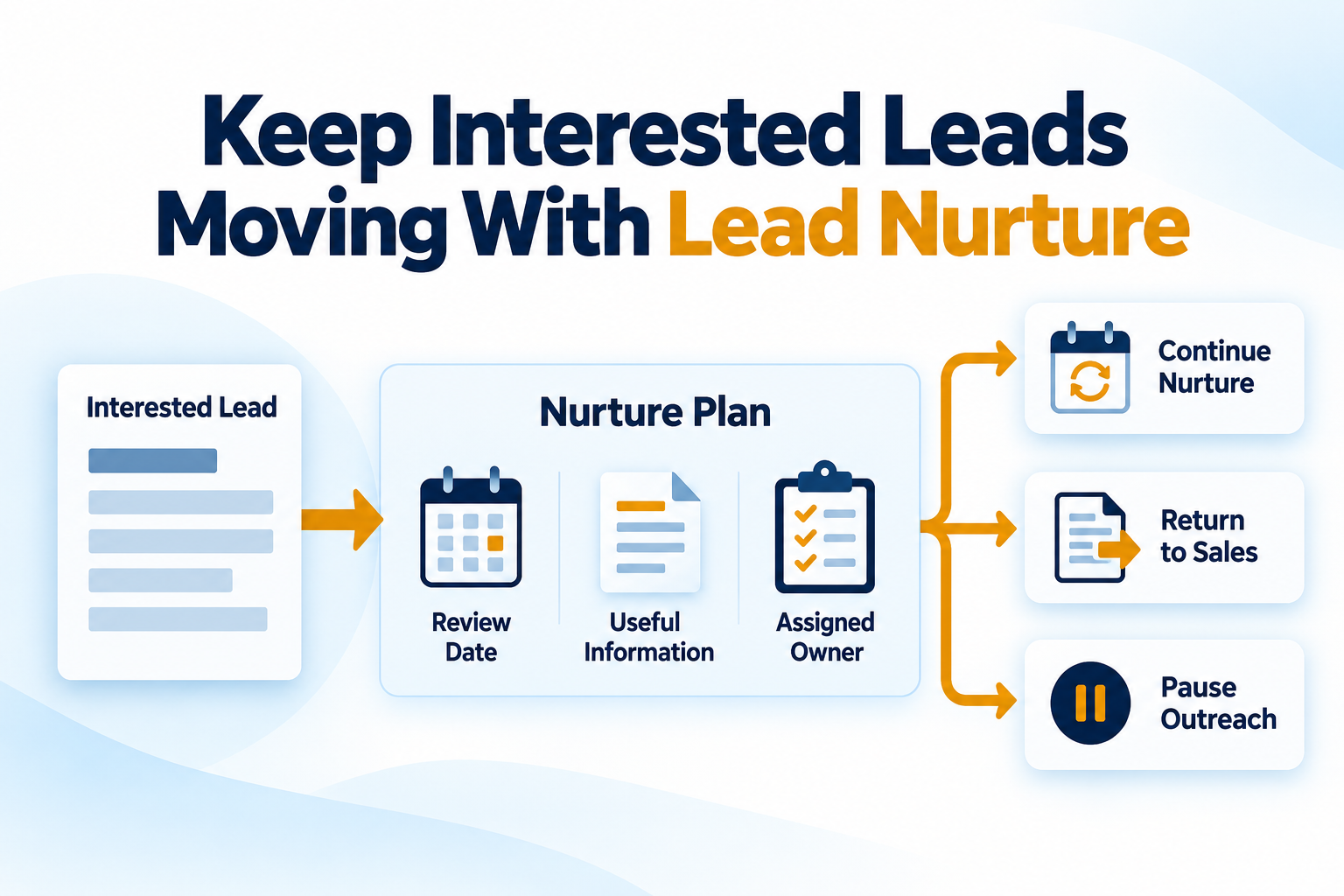
Record the service of interest, reason for the delay, last meaningful conversation, agreed follow-up date if available, communication preferences, and assigned owner. Add a review date when no firm buying date exists. That date prompts an internal decision about the record rather than automatically authorizing another message.
Keep the opportunity status accurate in reporting. A lead in nurture should not be counted as an active forecast opportunity unless it separately meets the business criteria for that forecast.
Match Follow Up to the Reason for the Delay
Useful nurture begins with the information a prospect needs next. Someone comparing service options may benefit from a scope guide. A buyer gathering internal approval may need a clear explanation of the work, responsibilities, and expected costs. A prospect waiting for a future date may only need a reminder near that date.
Choose content because it answers the recorded question. Sending every new blog article to every contact can make the sequence less relevant and add work for the recipient. If there is nothing useful to send, an internal review task may be the appropriate next action.
Recorded situation | Useful next step | Owner action |
Project delayed until a known date | Revisit the need near the agreed date | Check status before outreach |
Internal approval still needed | Provide approved scope or decision information | Record the outstanding decision |
Service requirements remain unclear | Offer a focused guide or clarification | Confirm what information is missing |
No clear reason or timeline recorded | Review the conversation history | Clarify or pause before enrollment |
Choose a Cadence the Relationship Can Support
Set the timing around the prospect’s stated expectations and the normal buying cycle. A business planning a project next quarter may need a very different schedule from a contact who asked to speak after a meeting next week.
There is no single frequency that fits every lead. Start with the agreed date or event, define a limited number of follow-ups, and decide when the record needs another review. Avoid adding channels simply because an email went unanswered.
Separate an individual follow-up agreement from a general marketing subscription. Check the permissions and preferences recorded for the intended communication. If the business cannot establish whether the contact belongs in the sequence, route the record for review before enrollment.
Make Every Message Easy to Understand
A nurture message should identify the business, connect to the earlier conversation, and explain why the information is relevant now. Offer one clear response path, such as replying with an updated timeframe or asking for clarification.
Use the history needed to provide context. Avoid inserting sensitive notes or unnecessary personal details into automated copy. Give the recipient a straightforward way to indicate that the need has changed or further follow-up is unwelcome.
Define When a Lead Returns to Sales
A new request for a quote, a reply confirming project timing, or a direct request to speak can justify a sales review. Define those events in advance so the workflow can notify the right owner and create a visible task.
Lighter engagement signals need more care. An email open or link click may help prioritize review, but should not automatically become proof that the prospect is ready to buy. Record the signal and assess it alongside the conversation history.
When a lead returns to an active sales conversation, pause the nurture sequence before the next scheduled message. The owner should see the earlier reason for delay, content already shared, and recent replies. This prevents a sales call from competing with unrelated automated reminders.
Build Exit Rules Into the Workflow
The workflow needs a defined response when circumstances change. Stop or pause scheduled nurture when the prospect asks to stop, starts an active sales discussion, books the intended appointment, becomes a customer, or raises an issue needing separate attention.
Invalid contact details, conflicting account records, or the end of the approved sequence also require action. Record the reason for the exit so the contact does not quietly re-enter through another list or automation.
Check these conditions at the time of sending, not only when the lead first enters the sequence. A response received this morning should affect a message scheduled for this afternoon. Test how the connected systems exchange that information.
Assign an Owner to Replies and Exceptions
Someone needs to review incoming responses and act on them. A request for a revised proposal should create an assigned task. A changed timeframe should update the record. A complaint should reach the person equipped to resolve it.
Define a response expectation the team can meet and a backup owner for absences. Make overdue tasks visible. If a reply sits unassigned, the nurture workflow has created another missed handoff instead of moving the conversation forward.
Use AI With Verified Context
AI can summarize earlier interactions, suggest useful content, draft a message for review, or classify a reply. These uses depend on accurate CRM information and clearly defined limits.
Keep pricing commitments, scope changes, sensitive replies, and uncertain interpretations under human review. AI should not invent a prospect’s budget, claim a prior agreement that was never recorded, or infer communication permission from engagement.
Test the Nurture Path Before Enrollment
Use controlled records to test a future follow-up date, a missing owner, a changed timeframe, an opt-out, a booking, and a reply asking to speak. Check both the next message and the resulting CRM task or status change.
Confirm that a record cannot receive overlapping nurture sequences for the same need. Review related contacts within the same customer account when separate teams could otherwise send conflicting messages.
Measure Progress Through the Buying Cycle
Track whether nurture produces useful replies, updated timing, completed owner tasks, and appropriate returns to sales. Review opt-outs, delivery failures, complaints, and contacts that repeatedly reach review dates without a clear next step.
Use a defined reporting period and separate activity from outcomes. A scheduled email is an activity. A conversation that confirms a purchase timeframe is a meaningful update. A qualified opportunity needs to meet the business criteria before it is counted.
Start With One Nurture Path
Choose one group with a documented reason for delaying. Define its entry criteria, useful information, timing, owner, sales handoff, and exit rules. Review the first responses before expanding the workflow to other situations.
Nurture manages a continuing relationship. When older contacts have gone inactive and no next step is agreed, a separate review may be needed. Our guide, How Customer Reactivation Campaigns Recover Opportunities Already in Your CRM, explains how to assess those records before reconnecting.
Give Interested Prospects a Defined Next Step
A lead that is not ready to buy still needs an accurate status and an appropriate decision about follow-up. Clear records, useful information, and accountable ownership let the business maintain the relationship without allowing an indefinite sequence to run unchecked.
Creator Digital Media provides AI Growth Support to help businesses map lead nurture paths, connect CRM records to follow-up tasks, define response routing, and measure whether interested prospects receive the right next step.